Near me
Use your location for nearby restaurants, or enter a city, neighborhood, or address without granting location access.
Explore real restaurants around you. Save somewhere for later. Rank the places you’ve tried, and build a food history that’s entirely yours.
Bite now connects to Apple Maps for real places. Your profile starts empty, ready for your own discoveries, visits, and rankings.
Use your location for nearby restaurants, or enter a city, neighborhood, or address without granting location access.
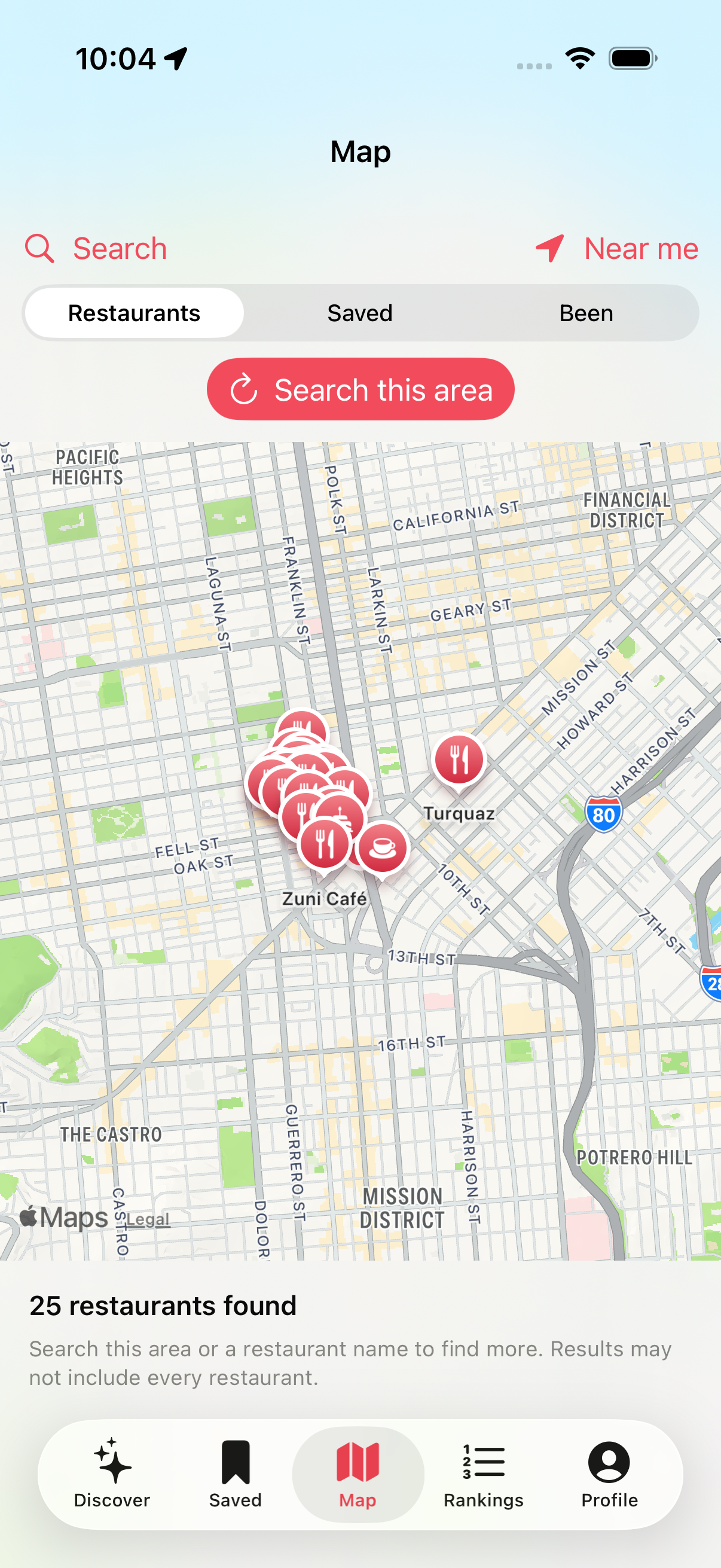
Pan and zoom, then search that area. Tap restaurant pins to open and save places, including native map points of interest.
Save places for later, rank the ones you’ve visited, and revisit your lists even when you’re offline.
A simple flow built around real places and the meals you remember.
Five tabs: Discover, Saved, Map, Rankings, and Profile.
Names, addresses, available phone numbers and websites, plus a link to open the place in Apple Maps.
A few pairwise comparisons place each visit in your city ranking. Re-rank it when your opinion changes.
See your ranked restaurants grouped by city and country, with achievements based on your own activity.
Saved places and rankings survive relaunch. Retained restaurant details are available offline.
Location is requested only when you tap Near me. Manual area search works when permission is denied.
Loading and empty states, network retries, and visible save errors help you recover when something goes wrong.
Screenshots from the iPhone simulator with live San Francisco search results. Listings can change; the colored illustrations are placeholders, not restaurant photographs.
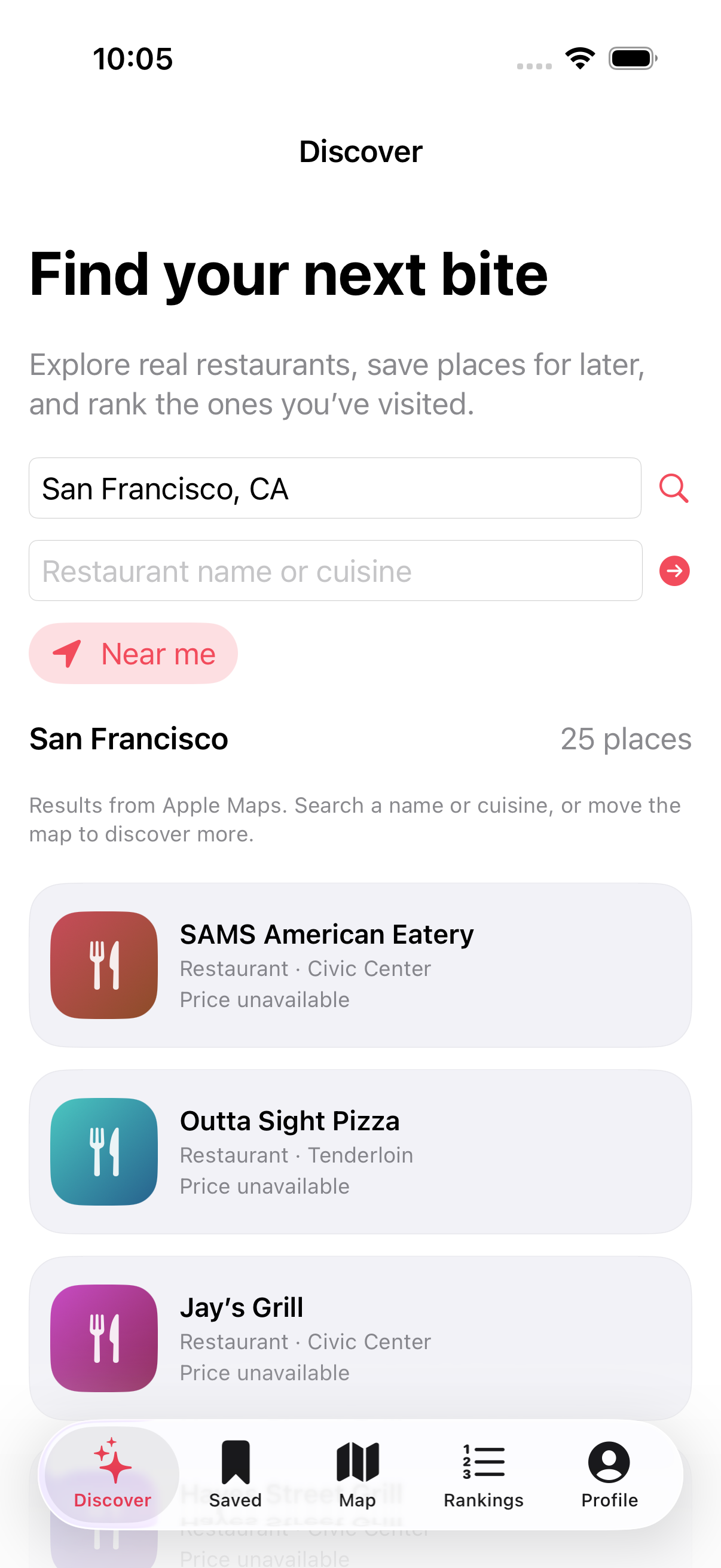
DiscoverSearch by area, restaurant, or cuisine.
Nearby mapSearch the area you’re viewing.
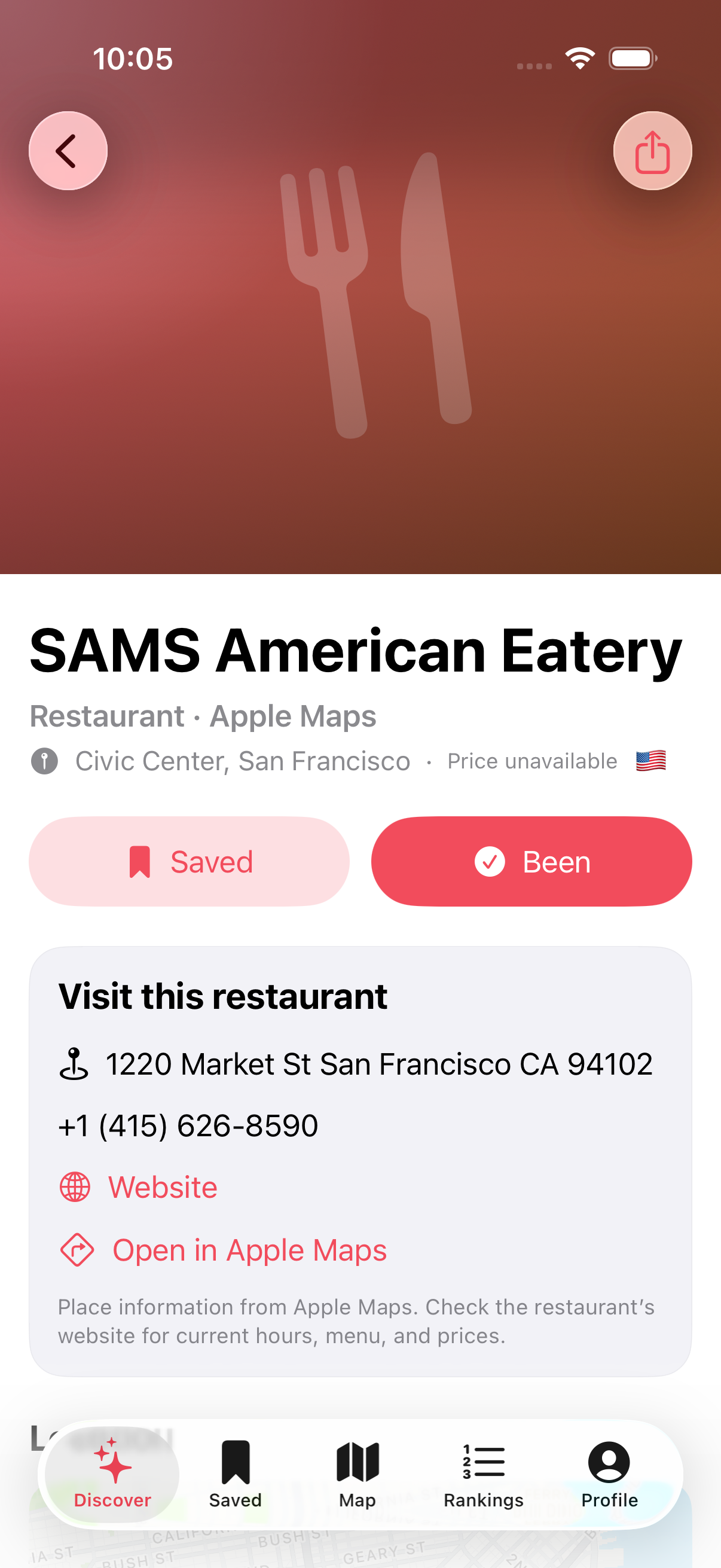
Restaurant detailsAddress, website, and Apple Maps.
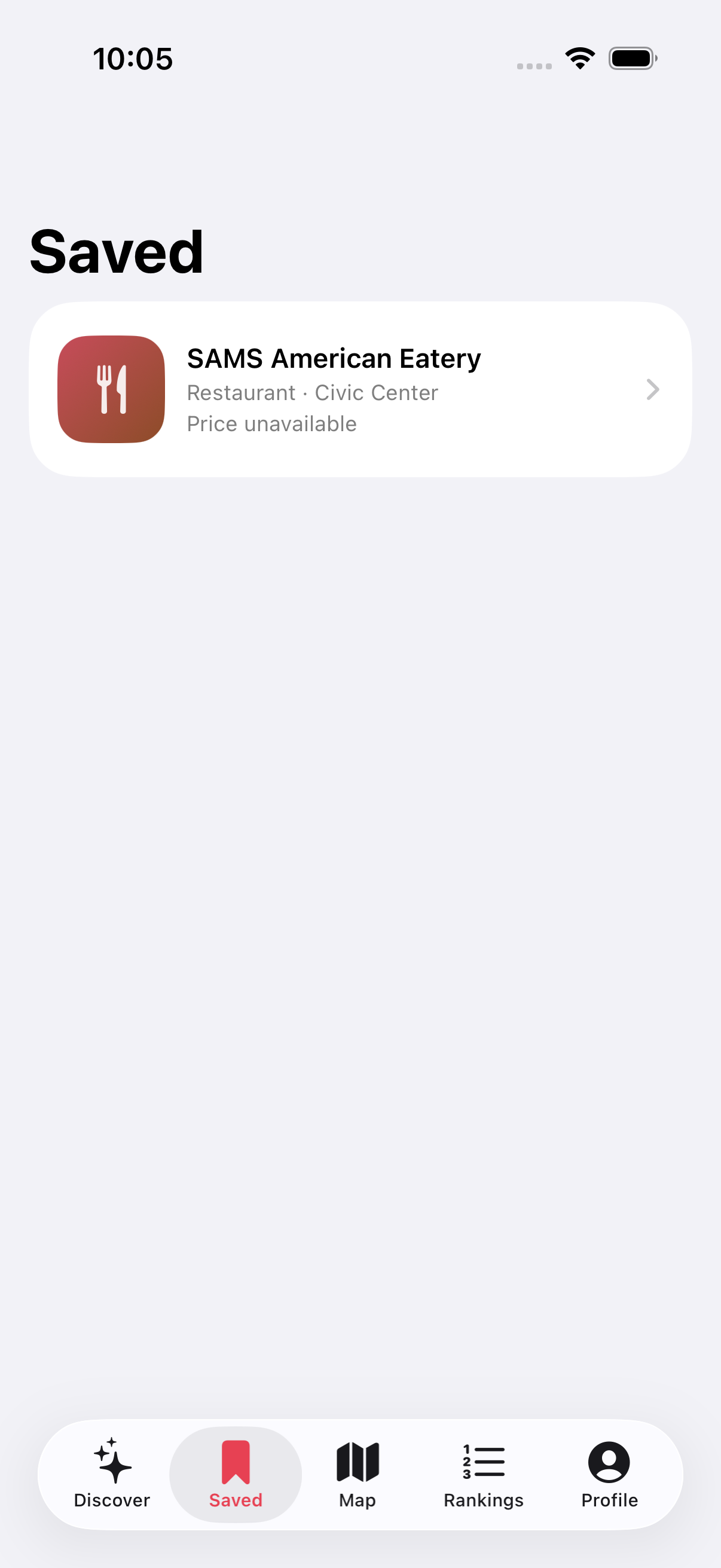
Saved placesStill there after relaunch.
The screenshots show the current English-language app.
Apple Maps supplies search results, not an exhaustive regional directory. Search by name or cuisine, move to a smaller map area, or tap a restaurant’s native map pin to find more places. Coverage and accuracy depend on Apple Maps.
Unavailable prices stay unavailable. Live listings do not show fabricated match percentages, Michelin ratings, menus, photos, or friend activity.
There are no accounts, cloud sync, or live social features yet. These require further development; the old seeded social network is not part of the normal app.
The source is available on GitHub. This is an iOS app you build locally, not an App Store download.
Bite.xcodeproj in Xcode 16 or newer.On Simulator, set Features → Location before using Near me. On a physical device, select your own signing team. Search and map tiles need an internet connection.
The repository includes 13 core regression tests, 3 simulator UI tests, and CI for core tests and the iOS simulator build.
git clone https://github.com/terrencelei/Bite.git
cd Bite
open Bite.xcodeproj

# macOS 15+, Xcode 16+
swift testNo. Apple Maps returns a selection of search results. Bite displays all returned listings within the requested area, and you can also open native restaurant pins on the map.
Yes. Search a city, neighborhood, or address manually. Near me requests a one-time location fix only when you choose it.
Your saved restaurant details and rankings remain available. New searches, map tiles, and external websites require a connection.
The old prototype data file is preserved separately and is not imported into your live profile. Fictional friends and seeded rankings do not appear in the normal app.
This website has English and Chinese pages. The current app interface and these screenshots are in English; full app localization is not implemented.
Explore the source, build Bite, and find a real place to try.
View on GitHub ↗